
Feeds: Download Curated Intelligence
Feeds are the download path for Hunt.io's core datasets. When you want the data in your own SIEM, EDR, or pipeline instead of the web interface, you pull a feed. Each one is curated, refreshed on a schedule, and available in JSON or gzip.
Each feed mirrors a section of the platform: the C2 feed comes from C2 Infrastructure, the phishing feed from Phishing, and the IOC feed from IOC Hunter. For query-time access instead of bulk pulls, use the API, and to query from an AI client see MCP Setup.
Open Feeds from the Integrations group in the sidebar.
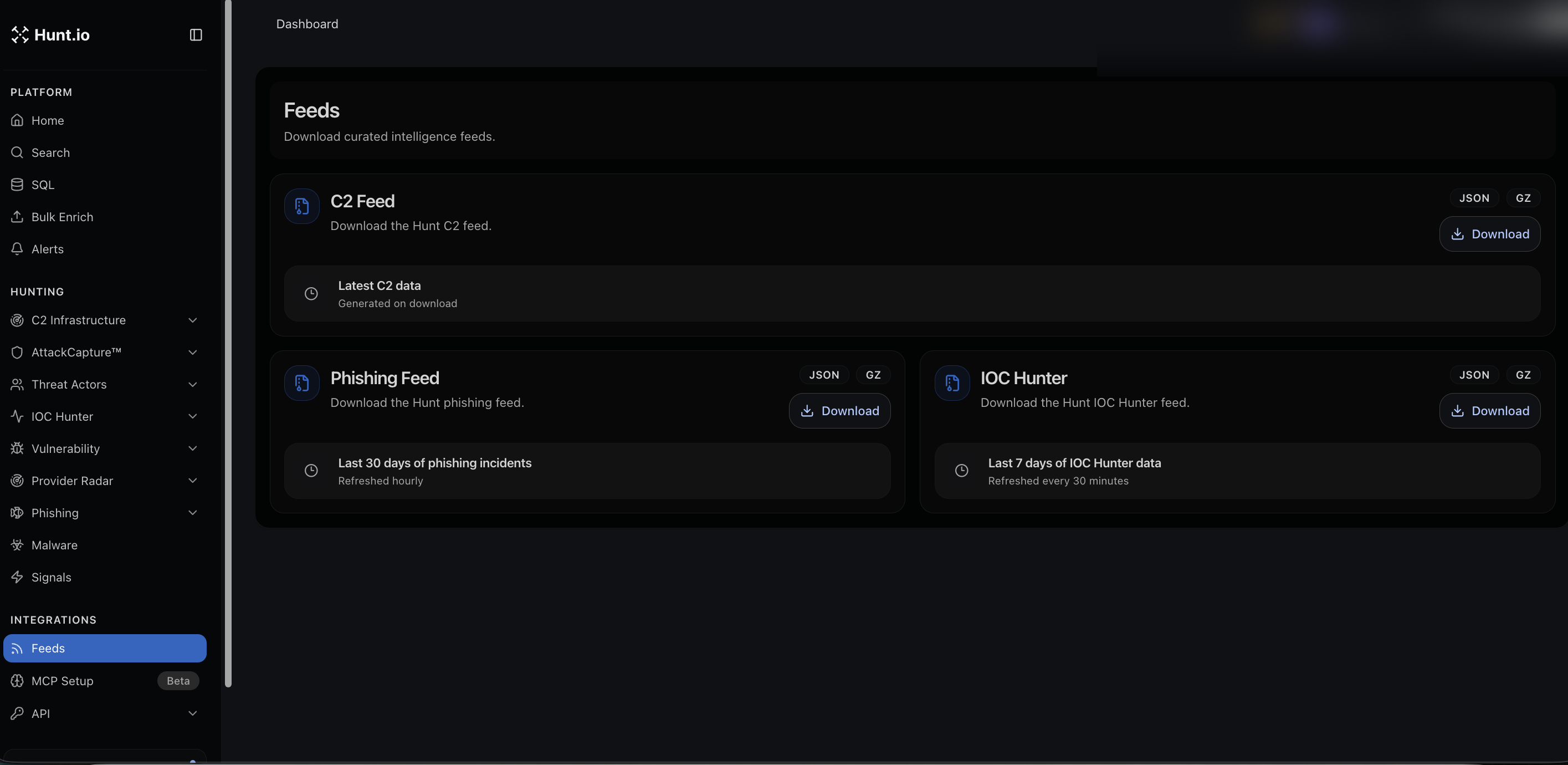
Available feeds
C2 Feed. The Hunt C2 dataset of active command-and-control servers. Generated on download, so you get current data each time. JSON or gzip.
Phishing Feed. The last 30 days of phishing incidents, refreshed hourly. JSON or gzip.
IOC Hunter. The last 7 days of IOC Hunter data, refreshed every 30 minutes. JSON or gzip.
Each feed has its own Download button and format toggle.
Using feeds
Pull the C2 feed into a block list or detection rule to catch active infrastructure early.
Feed phishing incidents into brand-protection workflows.
Load IOC Hunter indicators into your enrichment pipeline so analyst lookups come back with context.
For programmatic access and higher-frequency integration, use the API alongside the feeds.
Feeds: Download Curated Intelligence
Feeds are the download path for Hunt.io's core datasets. When you want the data in your own SIEM, EDR, or pipeline instead of the web interface, you pull a feed. Each one is curated, refreshed on a schedule, and available in JSON or gzip.
Each feed mirrors a section of the platform: the C2 feed comes from C2 Infrastructure, the phishing feed from Phishing, and the IOC feed from IOC Hunter. For query-time access instead of bulk pulls, use the API, and to query from an AI client see MCP Setup.
Open Feeds from the Integrations group in the sidebar.
Available feeds
C2 Feed. The Hunt C2 dataset of active command-and-control servers. Generated on download, so you get current data each time. JSON or gzip.
Phishing Feed. The last 30 days of phishing incidents, refreshed hourly. JSON or gzip.
IOC Hunter. The last 7 days of IOC Hunter data, refreshed every 30 minutes. JSON or gzip.
Each feed has its own Download button and format toggle.
Using feeds
Pull the C2 feed into a block list or detection rule to catch active infrastructure early.
Feed phishing incidents into brand-protection workflows.
Load IOC Hunter indicators into your enrichment pipeline so analyst lookups come back with context.
For programmatic access and higher-frequency integration, use the API alongside the feeds.
Feeds: Download Curated Intelligence
Feeds are the download path for Hunt.io's core datasets. When you want the data in your own SIEM, EDR, or pipeline instead of the web interface, you pull a feed. Each one is curated, refreshed on a schedule, and available in JSON or gzip.
Each feed mirrors a section of the platform: the C2 feed comes from C2 Infrastructure, the phishing feed from Phishing, and the IOC feed from IOC Hunter. For query-time access instead of bulk pulls, use the API, and to query from an AI client see MCP Setup.
Open Feeds from the Integrations group in the sidebar.
Available feeds
C2 Feed. The Hunt C2 dataset of active command-and-control servers. Generated on download, so you get current data each time. JSON or gzip.
Phishing Feed. The last 30 days of phishing incidents, refreshed hourly. JSON or gzip.
IOC Hunter. The last 7 days of IOC Hunter data, refreshed every 30 minutes. JSON or gzip.
Each feed has its own Download button and format toggle.
Using feeds
Pull the C2 feed into a block list or detection rule to catch active infrastructure early.
Feed phishing incidents into brand-protection workflows.
Load IOC Hunter indicators into your enrichment pipeline so analyst lookups come back with context.
For programmatic access and higher-frequency integration, use the API alongside the feeds.
Frequently asked questions
Frequently asked questions
How fresh is each feed?
Should I use a feed or the API?
What formats do feeds come in?
Related
Related
Hunt adversary infrastructure in real time. Surface C2 servers, enrich IOCs,
and map attacker activity at scale with our unified threat hunting platform.

Hunt adversary infrastructure in real time. Surface C2 servers, enrich IOCs,
and map attacker activity at scale with our unified threat hunting platform.
Hunt adversary infrastructure in real time. Surface C2 servers, enrich IOCs,
and map attacker activity at scale with our unified threat hunting platform.